
Payment plans
Payment plans let a customer pay off a device in weekly or monthly payments until they own it (Pay to own), or rent it (Rental). Each payment buys power for the days it covers. If the customer doesn't pay again, the device stops when that time runs out, and starts again when they pay. After the grace days, the plan shows as late.
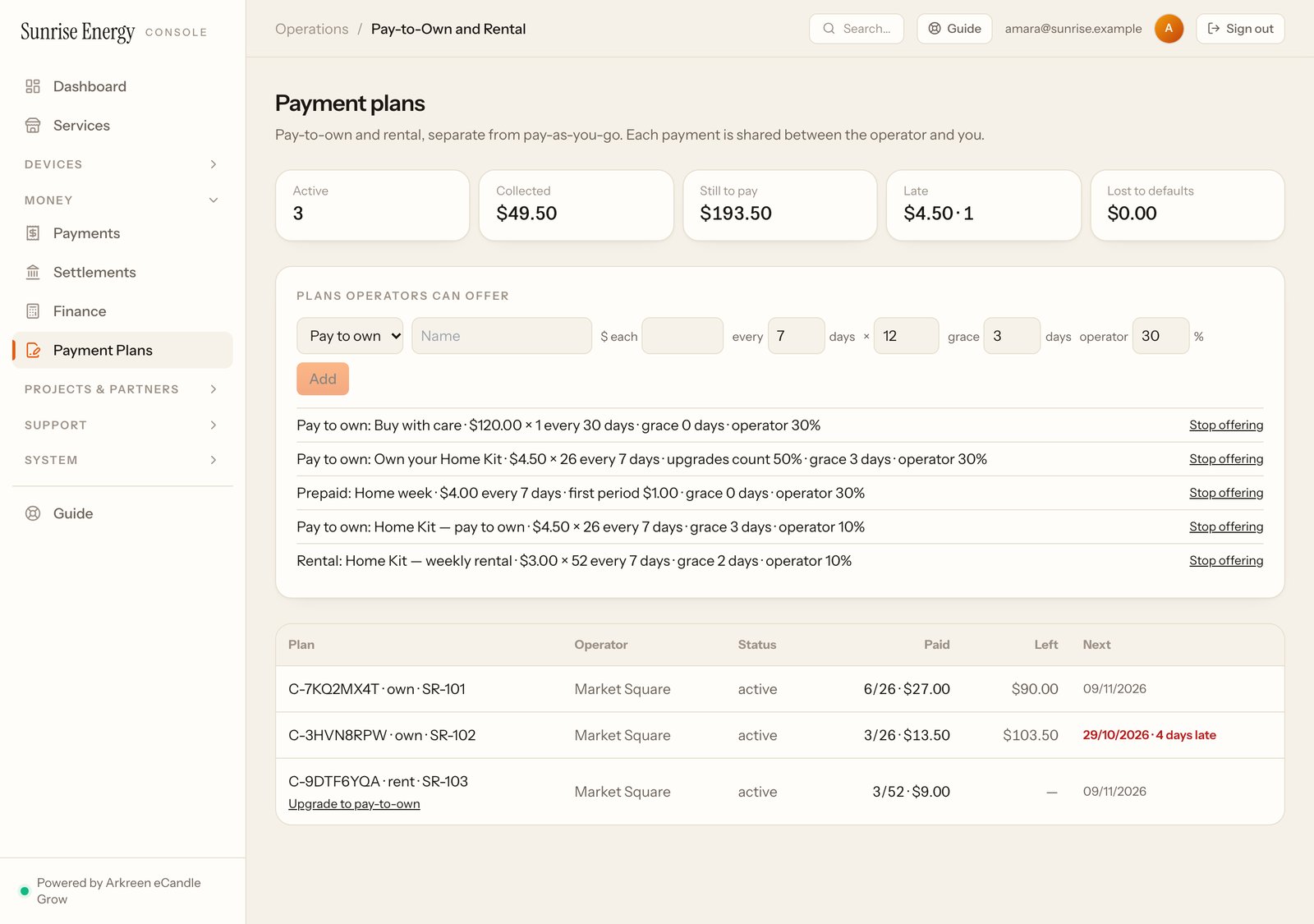
The numbers at the top#
Active plans, money Collected, what is Still to pay, what is Late and how many plans, and what was Lost to defaults.
Add a plan#
- Under Plans operators can offer, pick Pay to own or Rental and type a name.#
- Type the amount of each payment, how many days each payment covers, how many payments, the grace days, and the operator's share in percent.#
- Check the sentence under the form, for example what the customer pays in total, then click Add.#
Stop offering hides a plan from operators; Offer again brings it back. Changing a plan doesn't change plans already signed.
Signed plans#
The table lists every plan your customers signed: its reference, device, operator, status, how many payments are made, what is left and when the next payment is due. A late payment shows in red with the days late.
Operators sign a plan for a customer in their console, on a device set to Payment plans. See Devices and stickers.
Rent, then buy#
Set the rent, the length, the price to buy the device, how much of the rent paid counts towards it and the lowest buy-out price. Sign customers up on Payment plans. At any time, the plan shows what it costs to buy the device now. When the customer pays it, the device is theirs for good.
Buy with care plan#
Set the price of the device and, if you offer one, the care plan price per month. Your operators sign the customer up on Payment plans. As soon as the customer pays, the device is theirs for good. The care plan is sold on Serve, a month or more at a time. Stopping the care plan never turns the device off.
Trial price and upgrades#
For Home prepaid, Shop subscription, Pay to own and Rent, then buy, you can set a trial price for the first period, for example $1 for the first week instead of $4.
On Pay to own, set how much of what a customer already paid counts when they upgrade from Home prepaid, Shop subscription or a rental plan, for example 50%. The team owner or you click Upgrade to pay-to-own on the customer's plan. What counts becomes whole instalments already paid; anything less than one instalment doesn't count.