
Operators
Operators are your local teams who install devices, sign up customers and look after them. Add each one here and give them a login.
Add an operator#
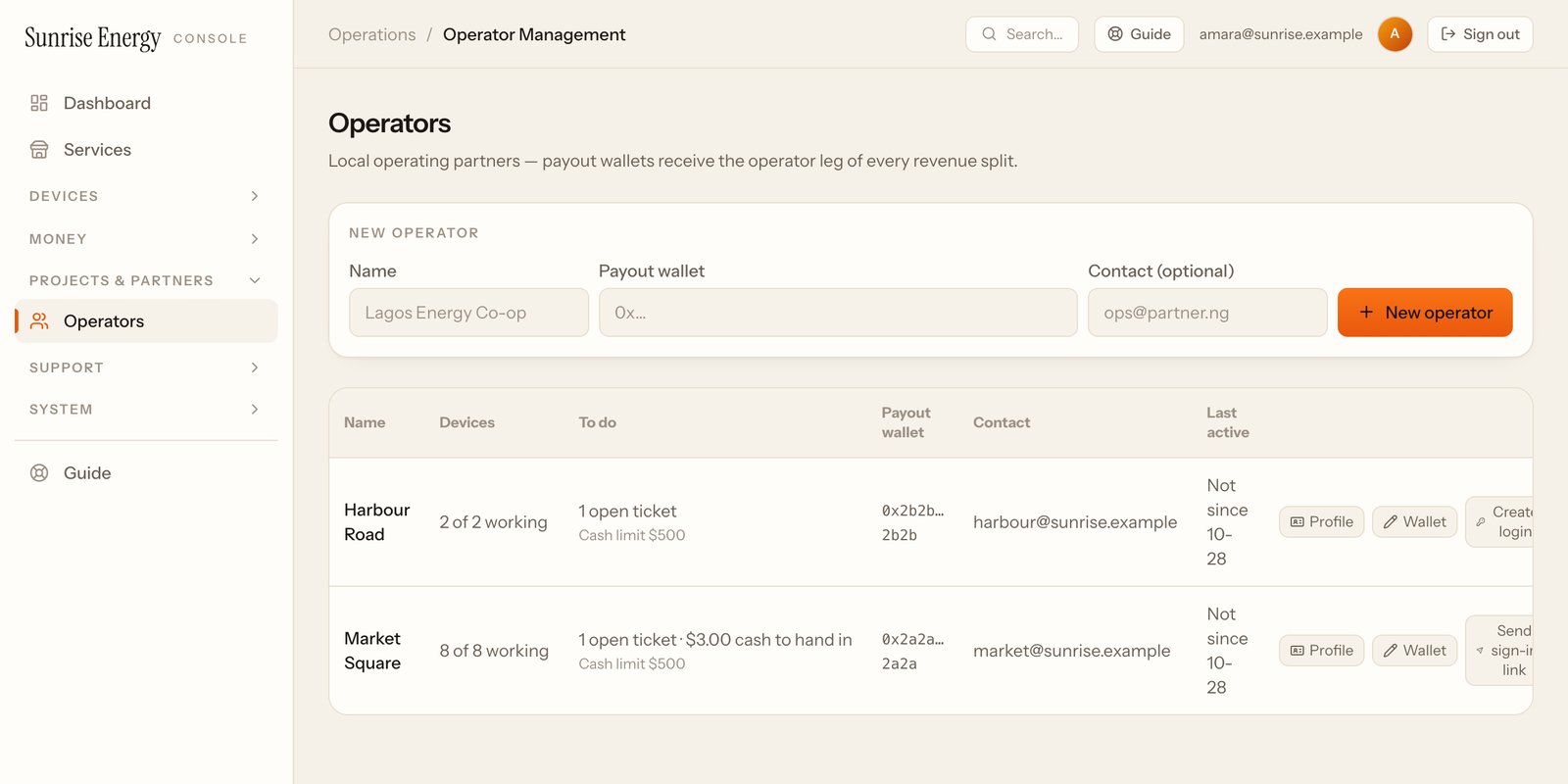
- Under New operator, type the name and the wallet that receives their share. Add a contact if you have one.#
- Click New operator.#
- On their row, click Create login: their email, a password of at least 8 characters and an optional display name.#
- Click Send sign-in link. They get an email with a link to set their own password. The link works once, for 7 days.#
Operators sign in at your console's address followed by /operator-app. There they add their own technicians and cash collectors, sign payment plans and handle problem reports.
What each row shows#
| Column | Means |
|---|---|
| Devices# | How many of their devices are working |
| To do# | Open problem reports and cash they still have to hand in |
| Cash limit# | The most cash they may hold before handing it in. Click it to change it |
| Payout wallet# | Where their share goes. Click Wallet to change it |
| Last active# | The last time they used the console |
Pause an operator#
Click Profile, then change Status. While an operator is paused, nobody on their team can sign in. Their devices keep working. Changes ask for a reason, kept in the audit log.