Getting paid
Customers pay in stablecoins (USDC) straight to your company's wallet. eCandle never holds your money.
What your customer does#
- Scans the QR sticker on the device.#
- Picks what to buy. On a device with a payment plan, that is the next payment.#
- Taps Pay.#
- Sends the exact amount shown from their crypto wallet: they scan the QR code or tap Open in wallet, or copy the amount and the address.#
- Waits on the page. The platform finds the payment on the network, usually within a minute, and the page switches to the power countdown. The device gets its credit.#
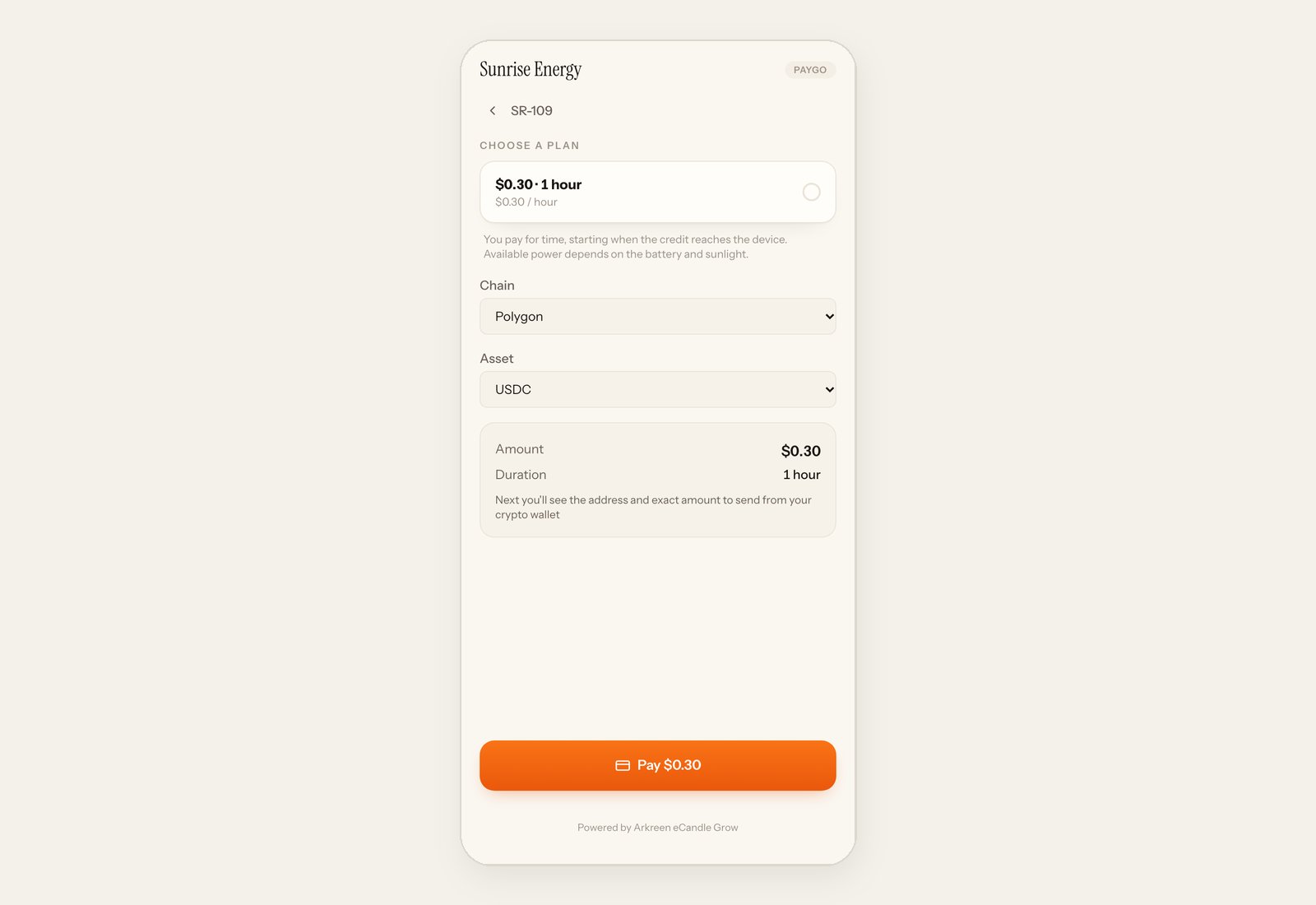
The amount has a few extra digits at the end, less than $0.001. They make each payment unique, which is how the platform matches it to the right customer. The customer must send that exact amount, on the network shown.
Your wallet#
Payments go to the wallet in System → Payment wallet. eCandle fills it in when it sets up your console. You can change it yourself:
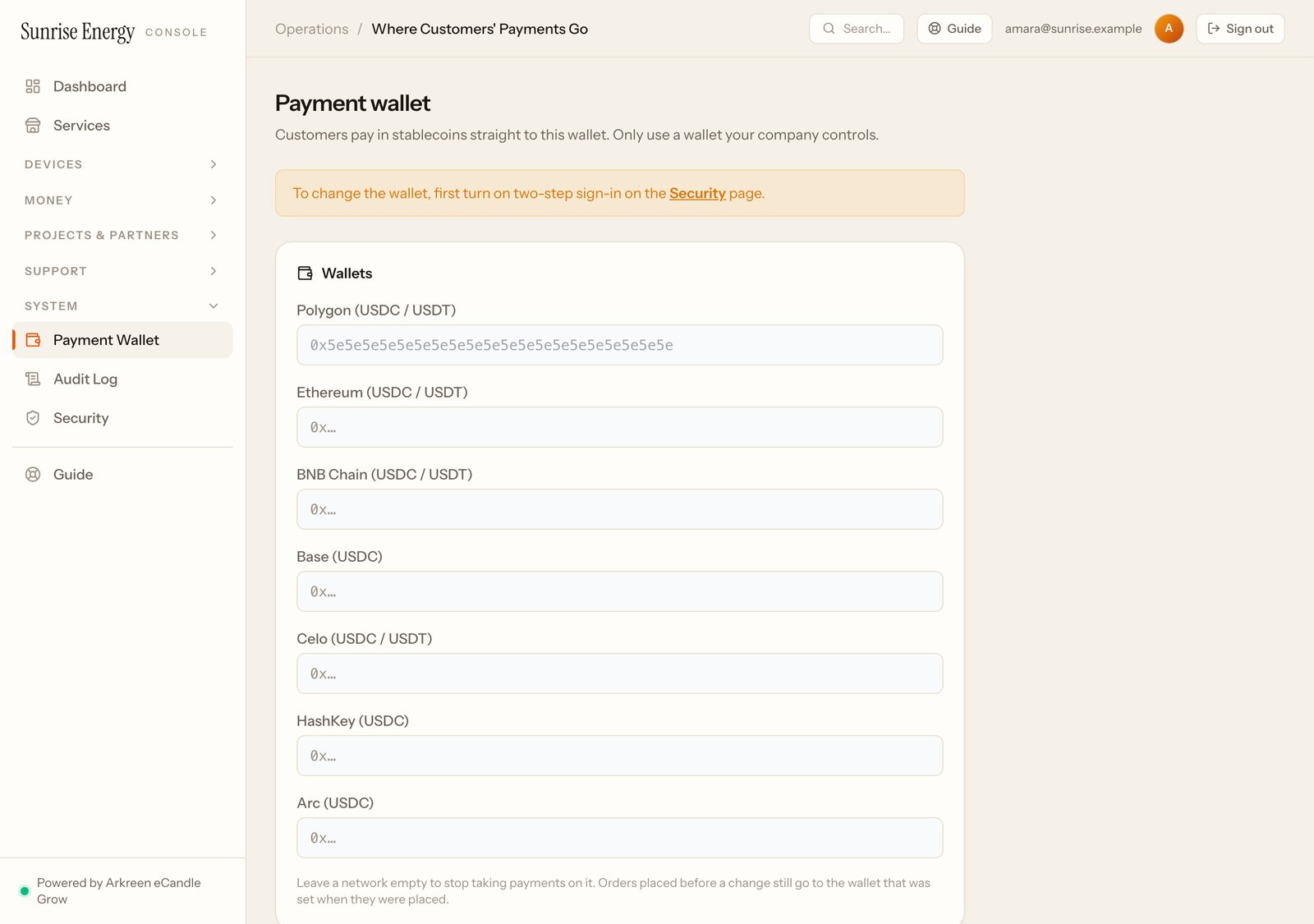
- Turn on two-step sign-in first (see Security). Without it, the wallet can't be changed.#
- Open System → Payment wallet and type the new address for the network your customers pay on. Only use a wallet your company controls.#
- Check the old and new addresses under Check before you save.#
- Type the code from your phone and click Save wallet.#
Every admin of your company and the eCandle Grow team get an email about each change, and the Audit log keeps the old and new address. If you get that email and nobody on your team made the change, contact eCandle right away.
New payments go to the new wallet. Orders placed before the change still go to the wallet that was set when they were placed.
Every payment#
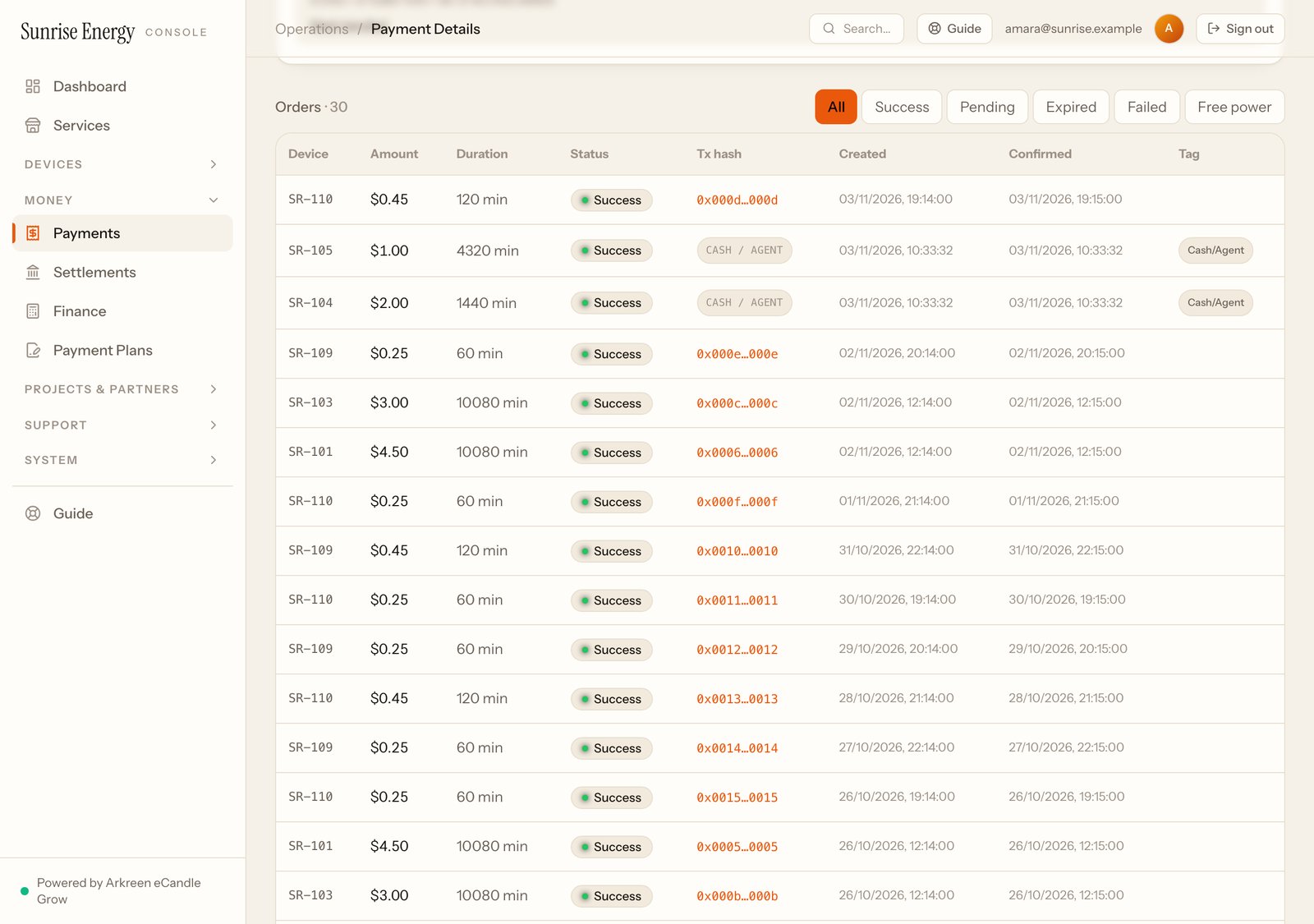
Money → Payments lists every payment: device, amount, how long it bought, status, the network transaction and when it was confirmed. Click a transaction to see it on the network's explorer.