Cash services and packs
Pay per service, charging station, pay per result and service point packs are sold by your staff for cash on Serve, in the operator console. You confirm the cash when they hand it in.
Pay per service and charging station#
You can also sell packs, for example 10 phone charges for $1.50 within 30 days. Add up to three under Packs when you set the price. Staff sell a pack on Serve and write its number (P-…) down for the customer. Next time the customer gives the number, staff type it in Pack number and the uses come off the pack. A pack works at any of your sites, and still works after you change the price.
Your staff open Serve in the operator console. They pick the service, take the cash and click I took … in cash. For a charging station they also write down what the customer left, for example "Tecno phone, 10%", then click Charged and Handed back when the customer collects it.
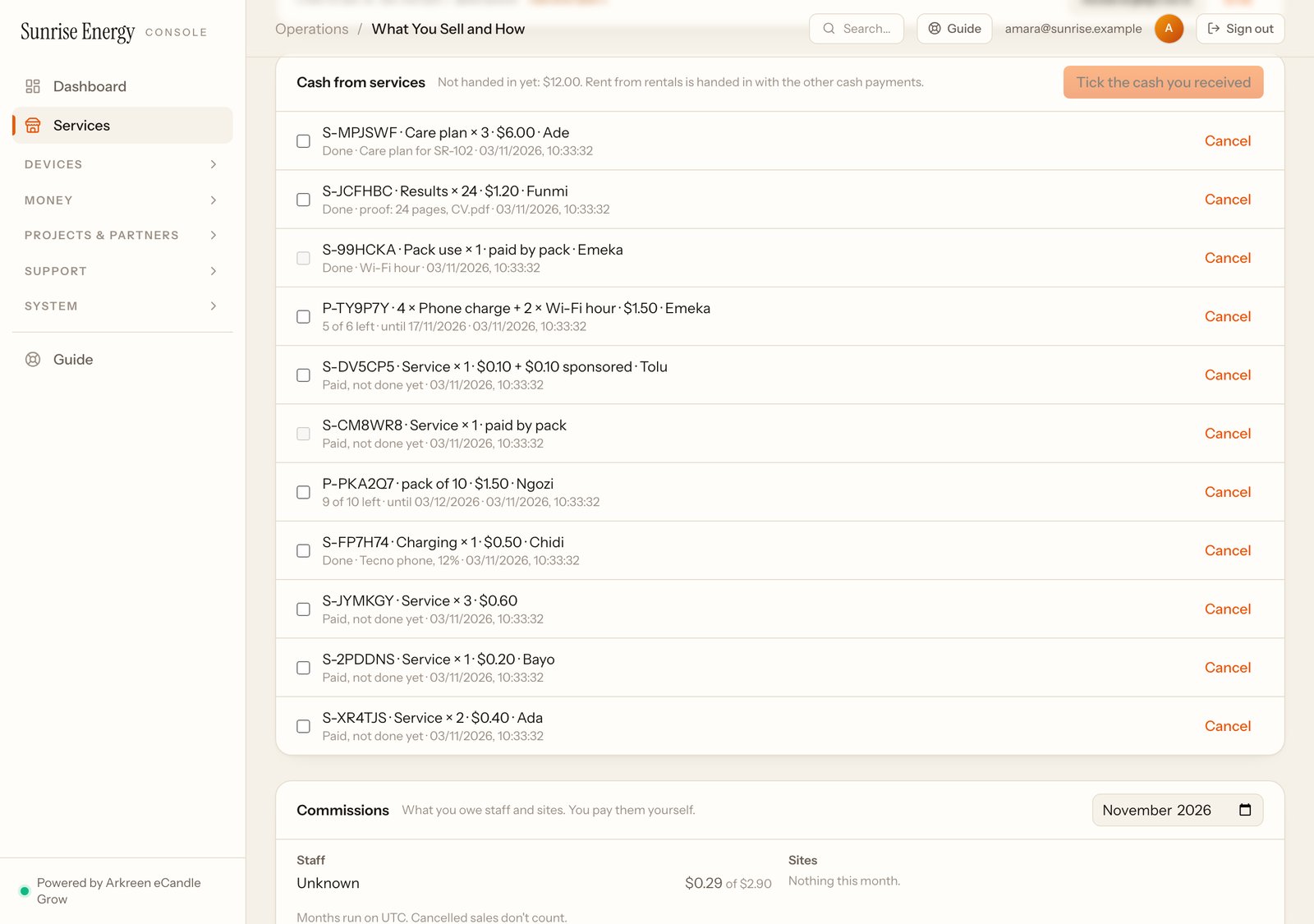
The cash stays with your staff until they hand it in to you. When they do, tick it under Cash from services at the bottom of Services and click I received …. Only the team owner or you can cancel an order or a pack, with a reason. Cancelling a pack refunds the unused uses.
Pay per result#
Charge for each result, for example $0.05 a printed page. Set the unit, the price and what staff must write as proof, for example "pages and file name". On Serve, staff take the cash for the number of results. When it's done, they click Done, write the proof and can add a photo. If some results came out wrong, they click Redo and do them again for free, up to the number paid for.
Service point#
Put 2 to 6 services in one pack, for example 4 phone charges and 2 hours of Wi-Fi, with what one use of each is worth. Staff sell the pack on Serve and give the customer its number (P-…). Each time the customer uses one of the services, staff find the pack and click Use 1 next to it. A pack works at all your sites. Cancelling a pack refunds what's left, by what it's worth.
Cash from services#
At the bottom of Services, Cash from services lists the cash your staff took for service orders, packs, kept deposits and booking fees. Tick what they handed in and click I received …. Until you do, it stays with them.