
Organisations, sponsors and co-funding
Sell to schools, co-ops, NGOs and chains; let a sponsor pay part of the price; and take money from partners who fund your devices.
Member allowance#
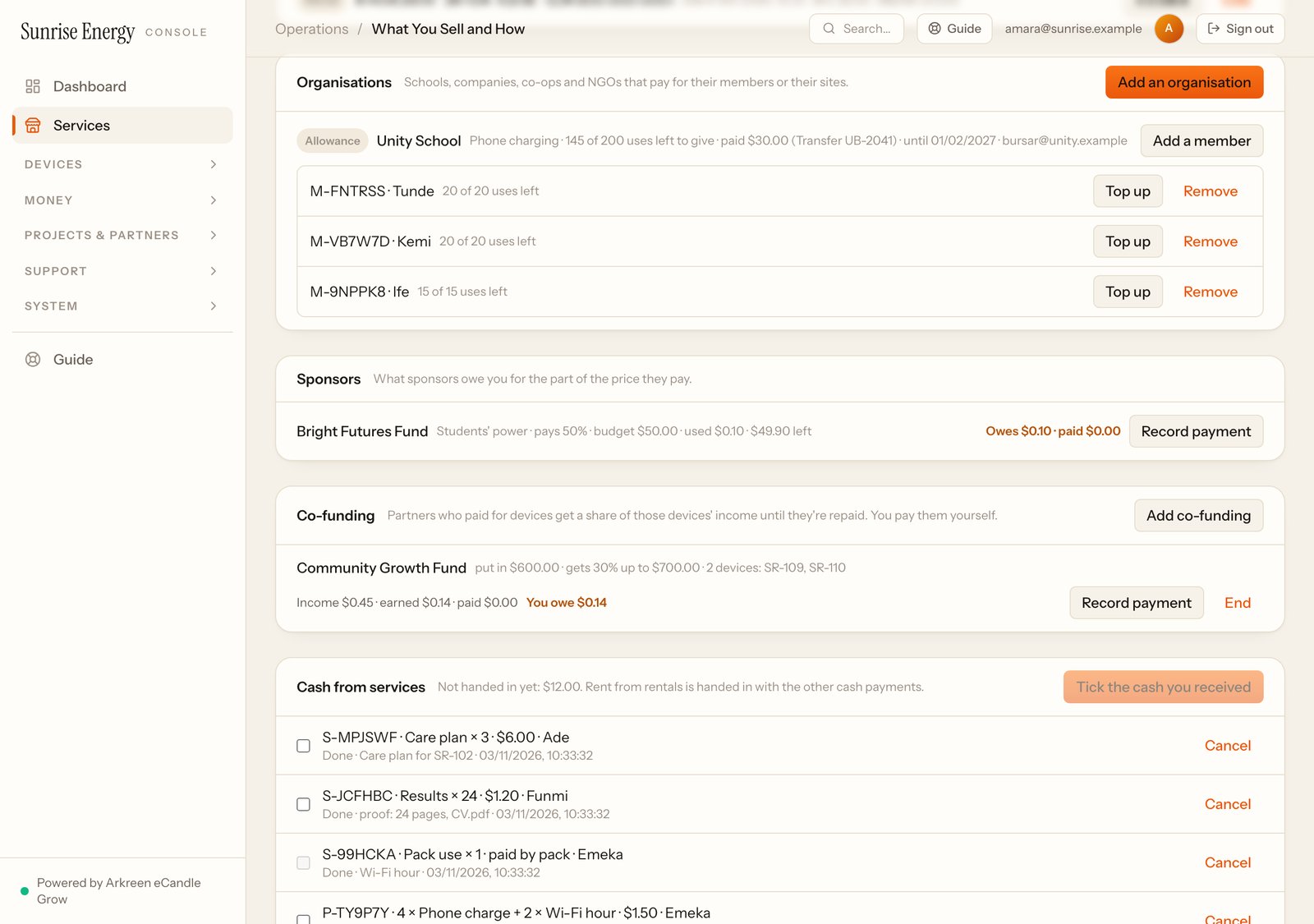
For a school, a co-op or an NGO that pays for its members. Pick the service members can use (it must be a pay-per-service or charging-station service you sell) and the price per use.
- Under Organisations, add the group: how many uses they bought, what they paid and how (transfer reference or receipt number).#
- Add each member and give them some of the uses. Each member gets a number (M-…).#
- Members give their number at any of your sites. Staff type it in Pack or member number; the member pays nothing.#
When a member leaves, click Remove. Their unused uses go back to the group.
Community lending#
A co-op or school buys a number of loans. Under Organisations, add the group and its members; each member gets a number (M-…) and some loans. On Serve, staff type the member's number and pick a free device. Each member can borrow one device at a time, up to the number of loans a month you set. When no device is free, put the member in the queue; the first in line gets the next one.
Multi-site customer#
For a school chain, a company or an NGO with many sites under one agreement. Under Organisations, add the customer, then each site with its monthly price and device. Click Accept once a site is checked and running; billing for that site starts that day. You see what you've billed, what they've paid and what they owe. Click Record payment when they pay.
Sponsored power#
A sponsor pays part of the price of a pay-per-service or charging-station service, up to a budget. Set the sponsor's name, the share they pay, the budget and who qualifies, for example "Students with a school ID". Under Who pays the discount, choose We do (social price) for a lower price you fund yourself.
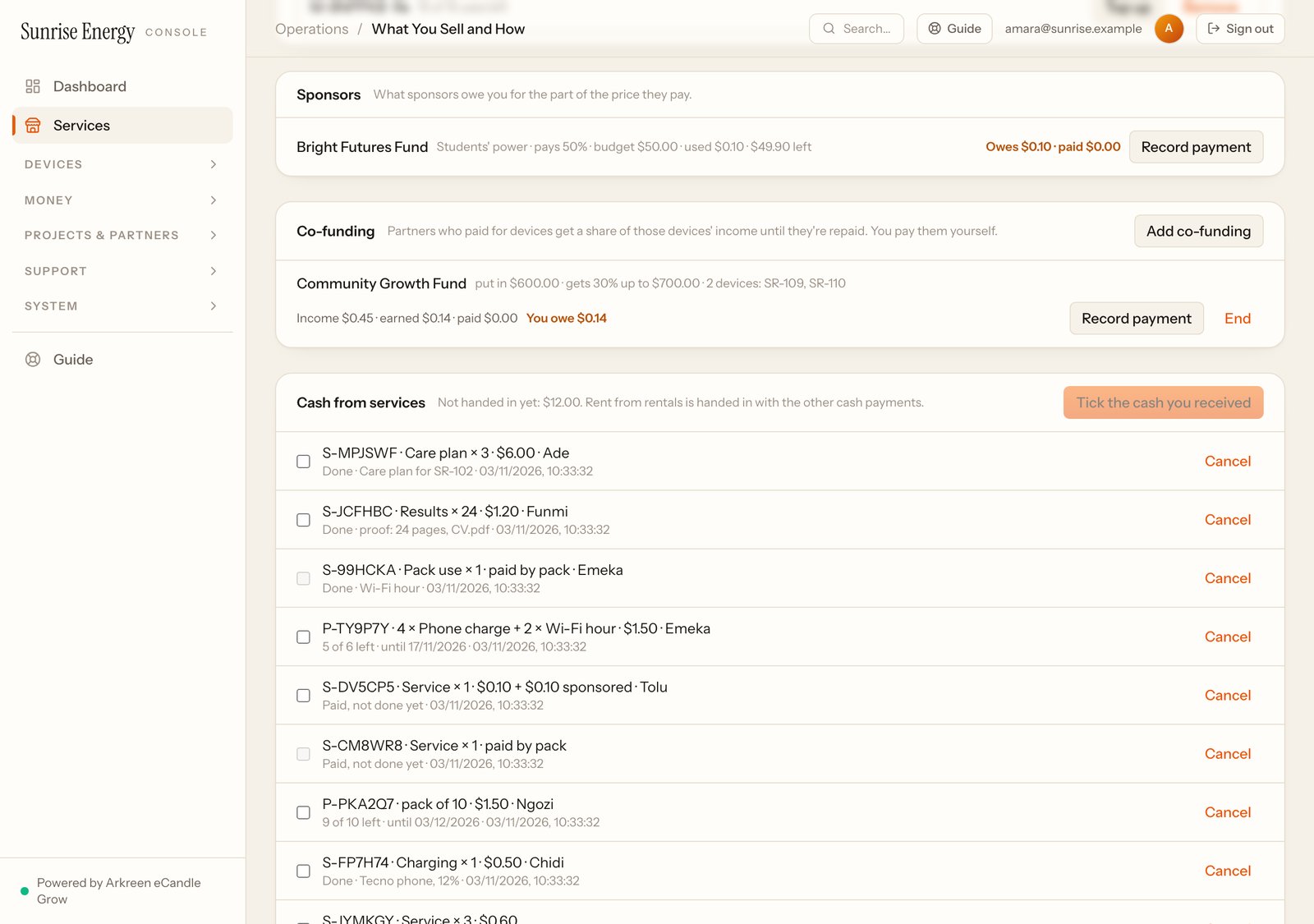
Staff tick Sponsored by … for a customer who qualifies; the customer pays the rest in cash. When the budget runs out, staff can't use it any more. Under Sponsors, you see what each sponsor owes you. Click Record payment when they pay.
Co-funding#
When a partner, such as a microfinance bank or a community fund, pays for some of your devices, add it under Co-funding: who paid, how much, the devices, the share of those devices' income they get back, and the most they get back in total. You see what they've earned and what you still owe them. Click Record payment when you pay them. Devices in an investor batch can't be co-funded.