
Serve: cash services
Serve is where staff sell your company's services and take the cash. Owners and cash collectors use it. The page shows only what your company sells, at today's prices: prices can change by the hour or the season if your company set busy-hour prices.
At the top you see the cash you hold for services, the deposits you hold and the booking fees you hold. Hand the service cash in to your company.
Take an order#
- Under New order, tap the service, for example Phone charging · $0.20 per phone charge.#
- Type How many and, if you like, the customer's name.#
- Take the cash and tap I took $… in cash. The order gets a number, for example S-DV5CP5.#
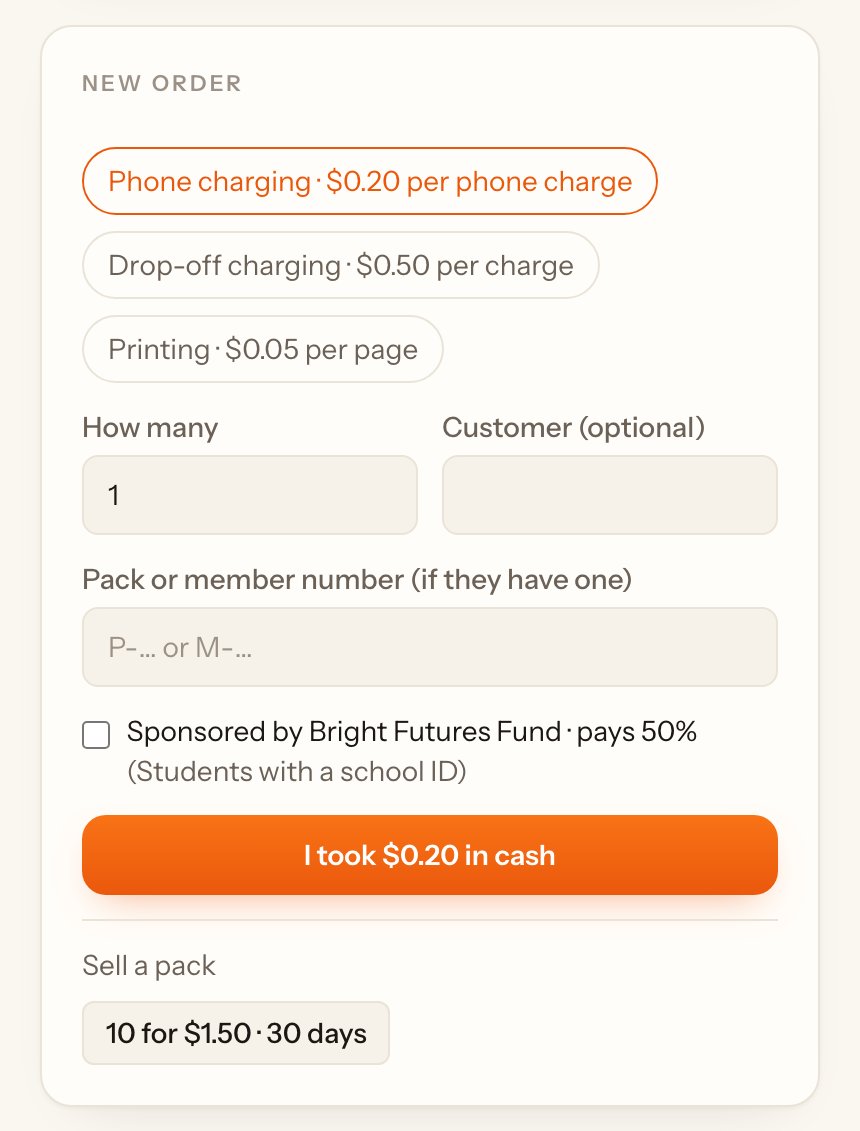
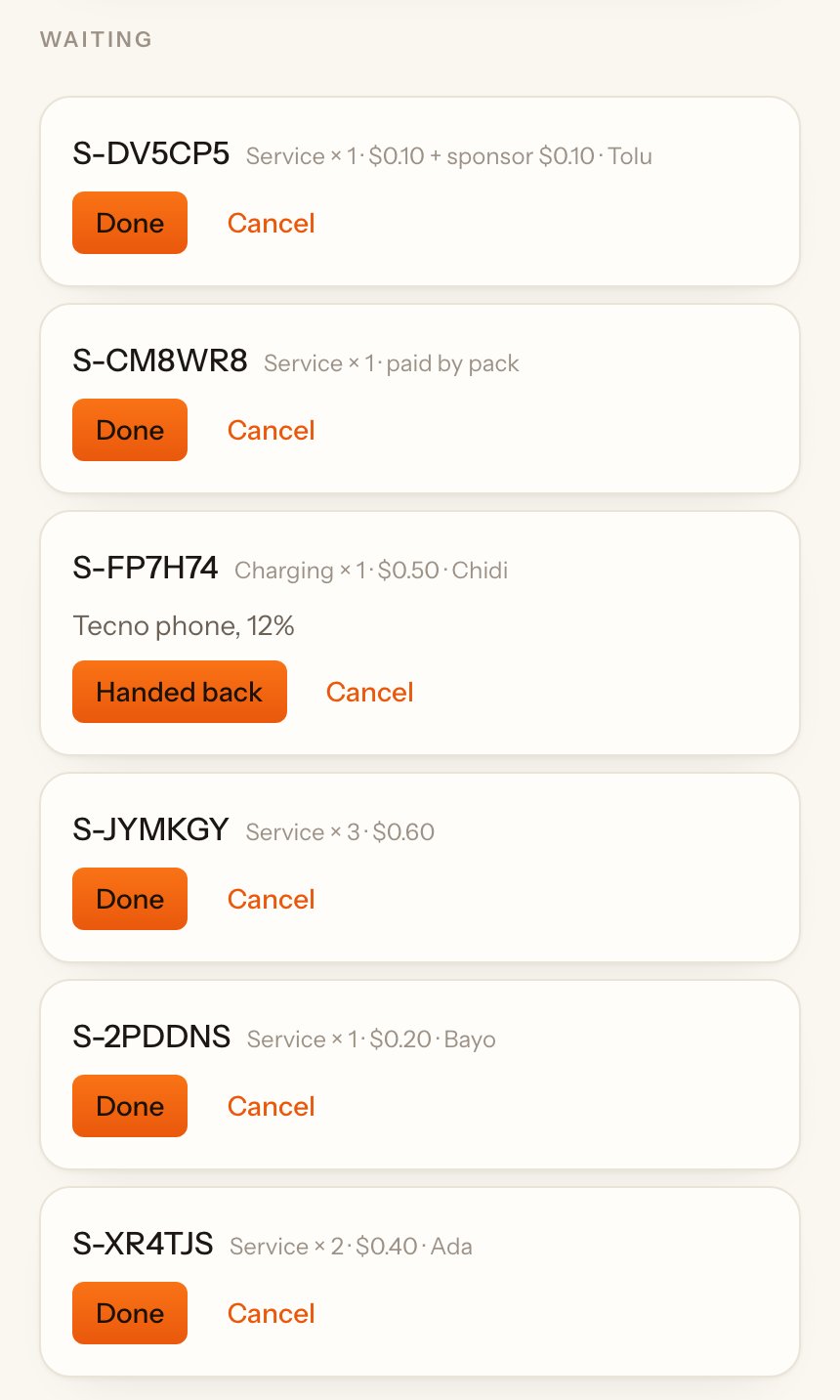
The order waits under Waiting until you serve it. Tap Done when it's done.
Charging station#
When a customer leaves a phone or device to charge:
- Pick the charging service and write what they left and its battery level, for example Tecno phone, 12%.#
- Take the cash and tap I took $… in cash. Give the customer the order number.#
- When it's charged, tap Charged. When they collect it, tap Handed back.#
Pay per result#
For results you can check, such as printed pages:
- Pick the service and type how many, for example 24 pages.#
- Take the cash and tap I took $… in cash.#
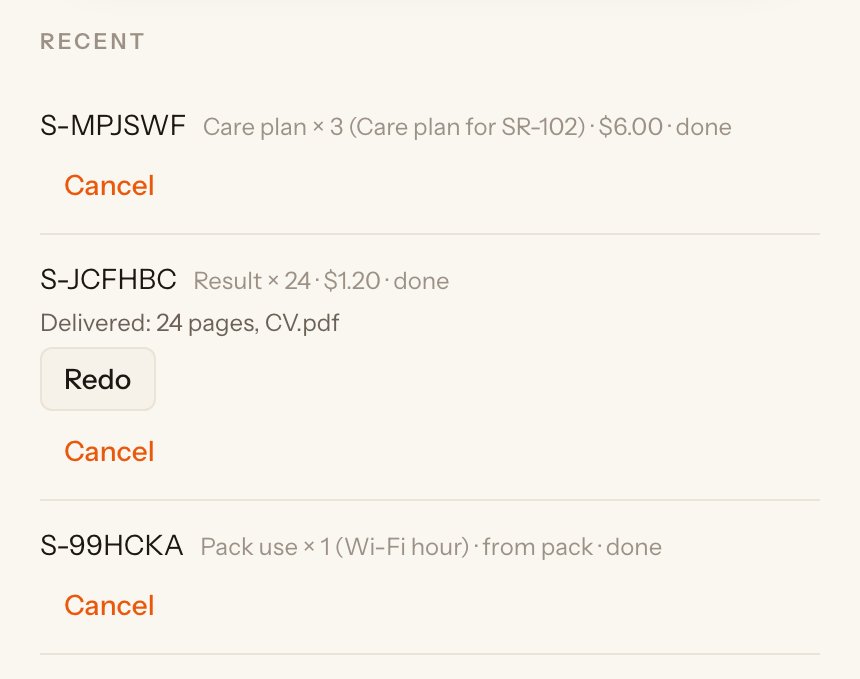
- When it's done, tap Done under Waiting, write what you delivered (for example 24 pages, CV.pdf) and add a photo if you like. Then tap Save.#
If some came out wrong, tap Redo under Recent, say how many and what went wrong, and tap Start redo. The redo is free, up to the number the customer paid for.
Delivery#
If your company delivers, the Delivery box asks for the area, the address and, if it's for a rental, which one. Take the fee and tap I took $… in cash. When it's delivered, tap Delivered under Waiting and write who signed for it.
Cancel an order#
Only the owner can cancel, with a reason, and only before the cash is handed in. Tap Cancel, write why, and tap Cancel order. Give the customer their cash back. If the order was paid from a pack, the use goes back to the pack.