Packs, members and sponsors
Regular customers can pay in advance, groups can pay for their members, and a sponsor can pay part of the price. All of this happens in the New order box on Serve.
Sell a pack#
A pack is a number of uses paid in advance, for example 10 phone charges for $1.50 within 30 days.
- Pick the service under New order. The packs your company sells show under Sell a pack.#
- Type the customer's name, take the cash and tap the pack, for example 10 for $1.50 · 30 days.#
- Write the pack number (for example P-PKA2Q7) down for the customer.#
Serve someone with a pack or a member number#
- Pick the service and type How many.#
- Type their number in Pack or member number: a P-… pack or an M-… member number from a school, co-op or company that pays for its members.#
- Tap Use … from the pack or Use … from the member's allowance. The customer pays nothing.#
Pack and member numbers work at any of your company's sites. You can't use a pack that has run out, expired or was cancelled.
Sponsored customers#
When a sponsor pays part of the price, a box shows under the order, for example Sponsored by Bright Futures Fund · pays 50% (Students with a school ID).
- Check the customer qualifies.#
- Tick the box. The page shows what the customer pays and what the sponsor pays.#
- Take the customer's part in cash and tap I took $… in cash.#
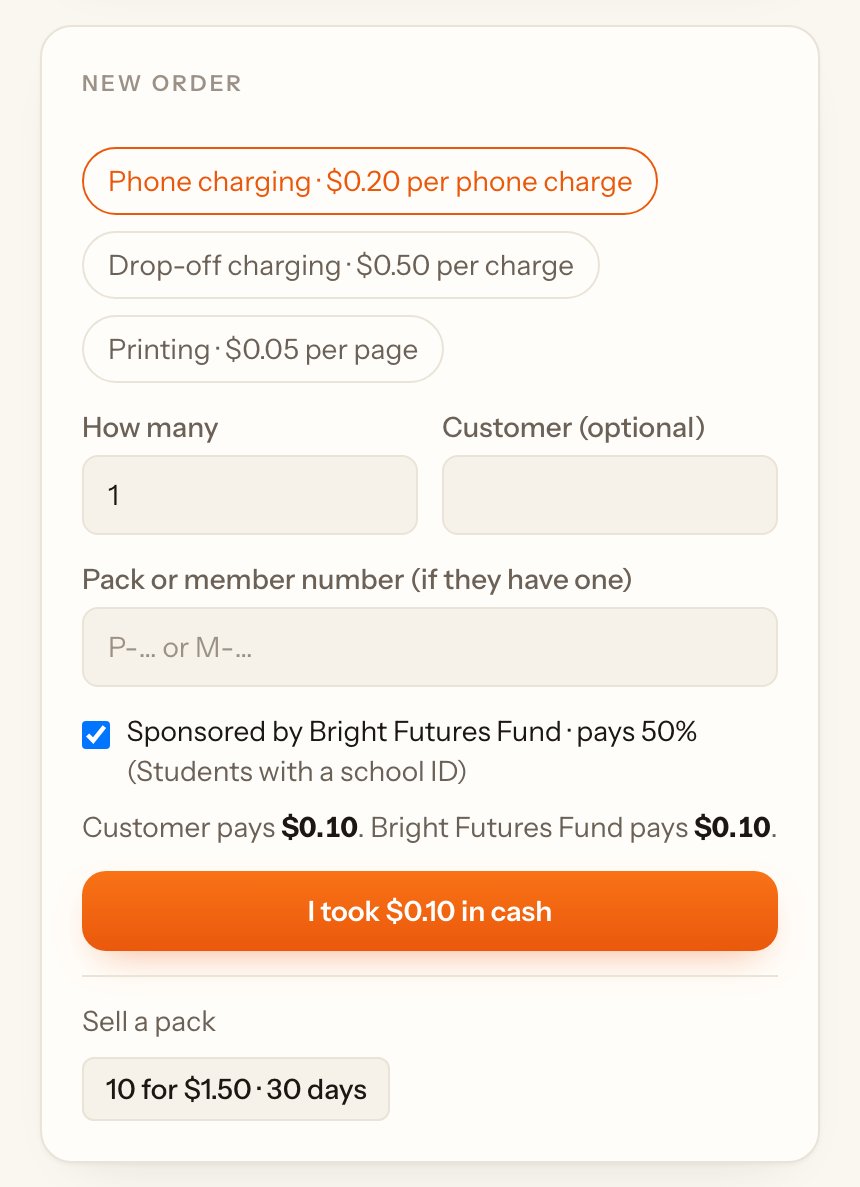
When the sponsor's budget is used up, you can't tick it any more.
Service point packs#
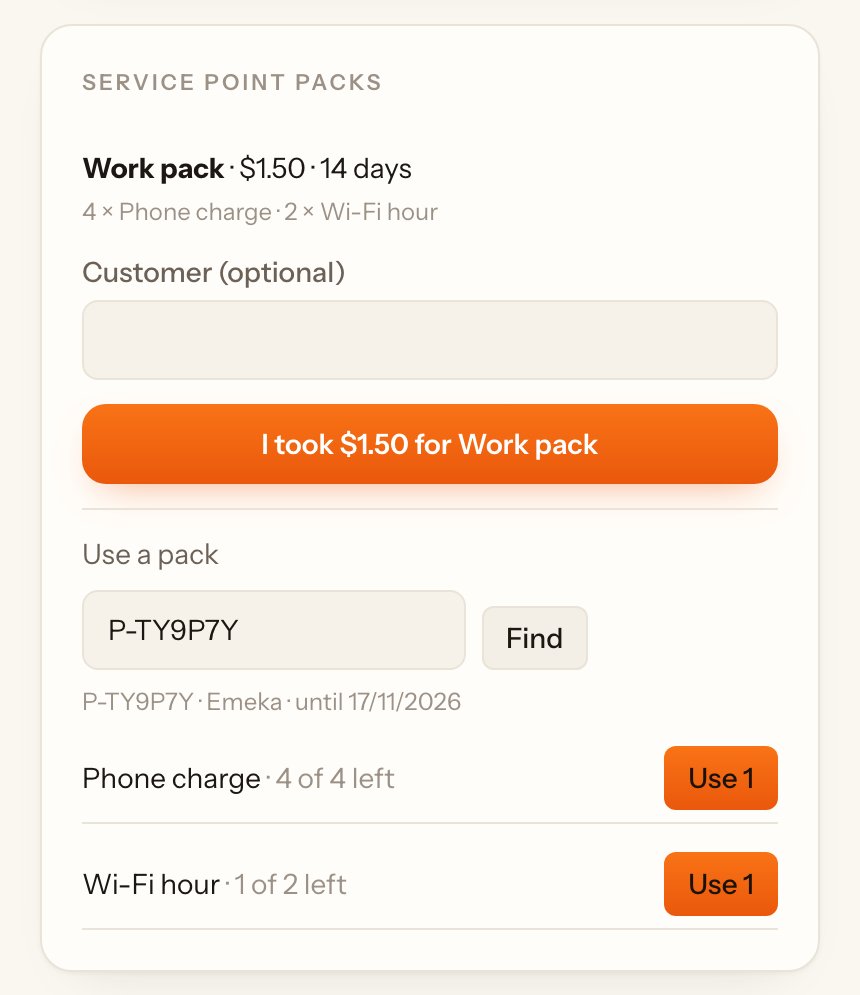
A service point pack holds several services, for example 4 phone charges and 2 Wi-Fi hours.
- Under Service point packs, type the customer's name, take the cash and tap I took $… for …. Give them the pack number.#
- When they come back, type the pack number under Use a pack and tap Find.#
- Tap Use 1 next to the service they use. The page shows how many are left.#