
Payment plans
Plans (top of the page) holds customers who pay over time for a device: home prepaid, shop subscriptions, rentals, pay to own and rent-then-buy. Your company decides which plans you can sign and their prices. Signed plans keep their terms even if the price changes later.
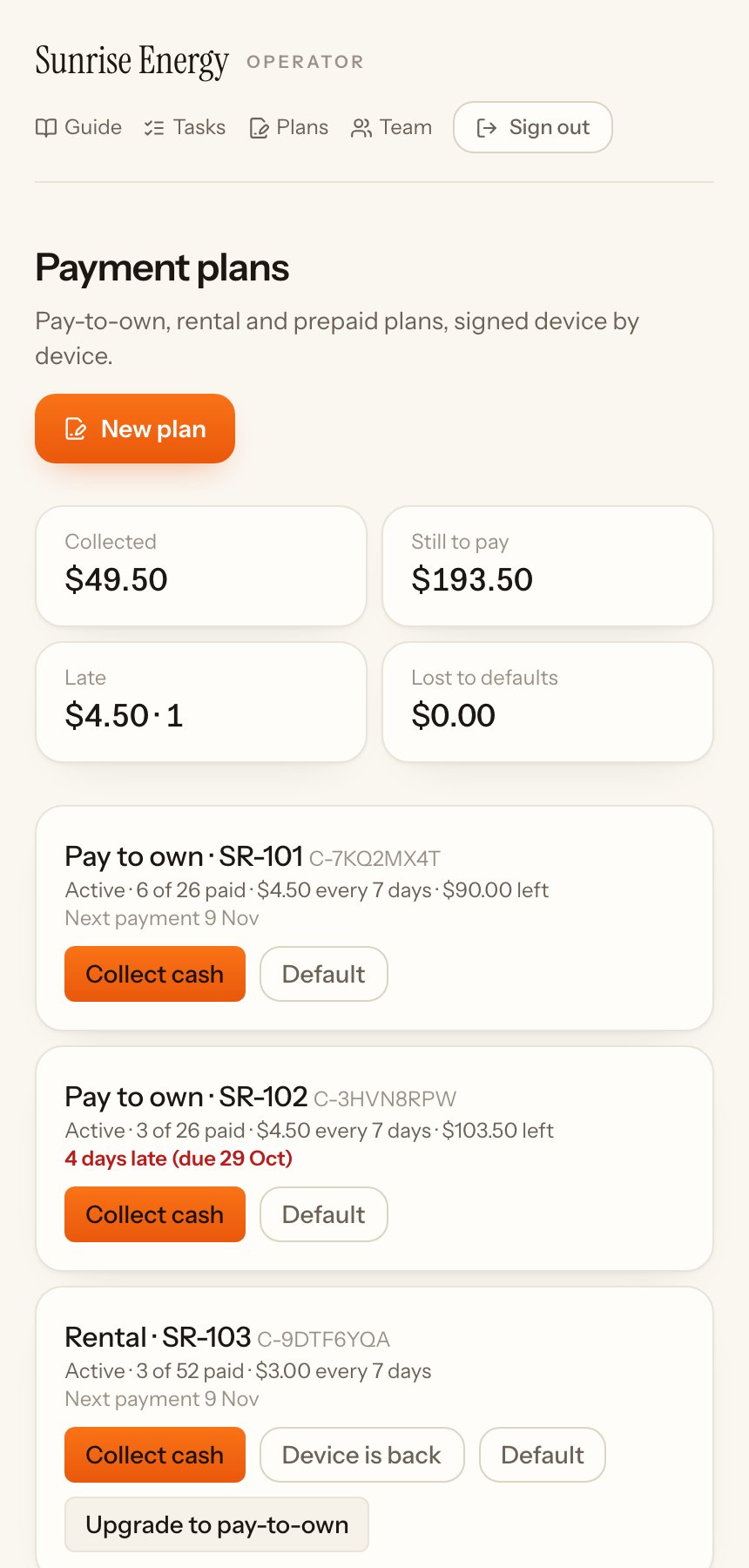
The tiles at the top show what was Collected, what is Still to pay, what is Late and what was Lost to defaults.
Sign a customer up#
Only the owner signs plans.
- Tap New plan.#
- Pick the Plan and the Device. Only devices set up for payment plans that are free show in the list.#
- Tap Start plan.#
The customer pays each period from the device's QR page, or in cash to you. Each payment turns the device on for one more period. When they stop paying, it turns off at the end of the period. A pay-to-own plan shows as late after its grace days, and you get a task to follow it up.
Collect a payment in cash#
- Find the plan and tap Collect cash.#
- Check the amount and what it's for, for example Trial: 7 days of power for a cheaper first period, and confirm.#
- The device has power for one more period.#
Buy it now#
On a rent-then-buy plan, Buy it now · $… shows the price to buy the device today: part of the rent already paid counts towards it. Take the cash and confirm. The device belongs to the customer and unlocks for good within a few minutes.
Upgrade to pay-to-own#
The owner can move a prepaid or rental customer to a pay-to-own plan:
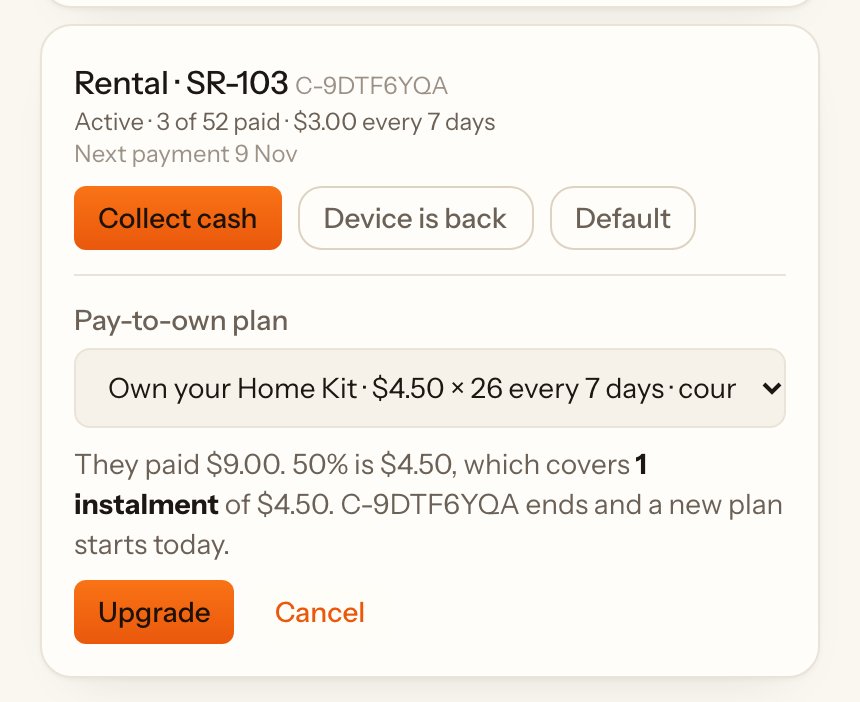
- Tap Upgrade to pay-to-own on their plan and pick the plan.#
- The page shows how much of what they paid counts, as whole instalments already paid. Anything less than one instalment doesn't count.#
- Tap Upgrade, then Yes, upgrade …. The old plan ends and the new one starts today.#
End a plan#
The owner can end a plan with a reason: Device is back when you collect the device, Default when the customer won't pay, or Cancel before the first payment. When a device comes back, the time left on it is wiped.