
Start here
The operator console is where your sites run eCandle Grow every day: serve customers, take cash, rent out devices, sign customers up to payment plans and fix problems. It is made for a phone. Each page of this guide covers one part of the console, so you can send a person just the part they need.
The pictures in this guide come from a demo company, Sunrise Energy. Your console shows your own company's name, services and prices.
Sign in#
- Open ecandle-grow.arkreen.com/signin on your phone or computer.#
- Type your company's address, for example sunrise, and tap Operator console.#
- Type your email and password and tap Sign in. Forgot it? Tap Forgot password? and you get an email with a link to set a new one.#
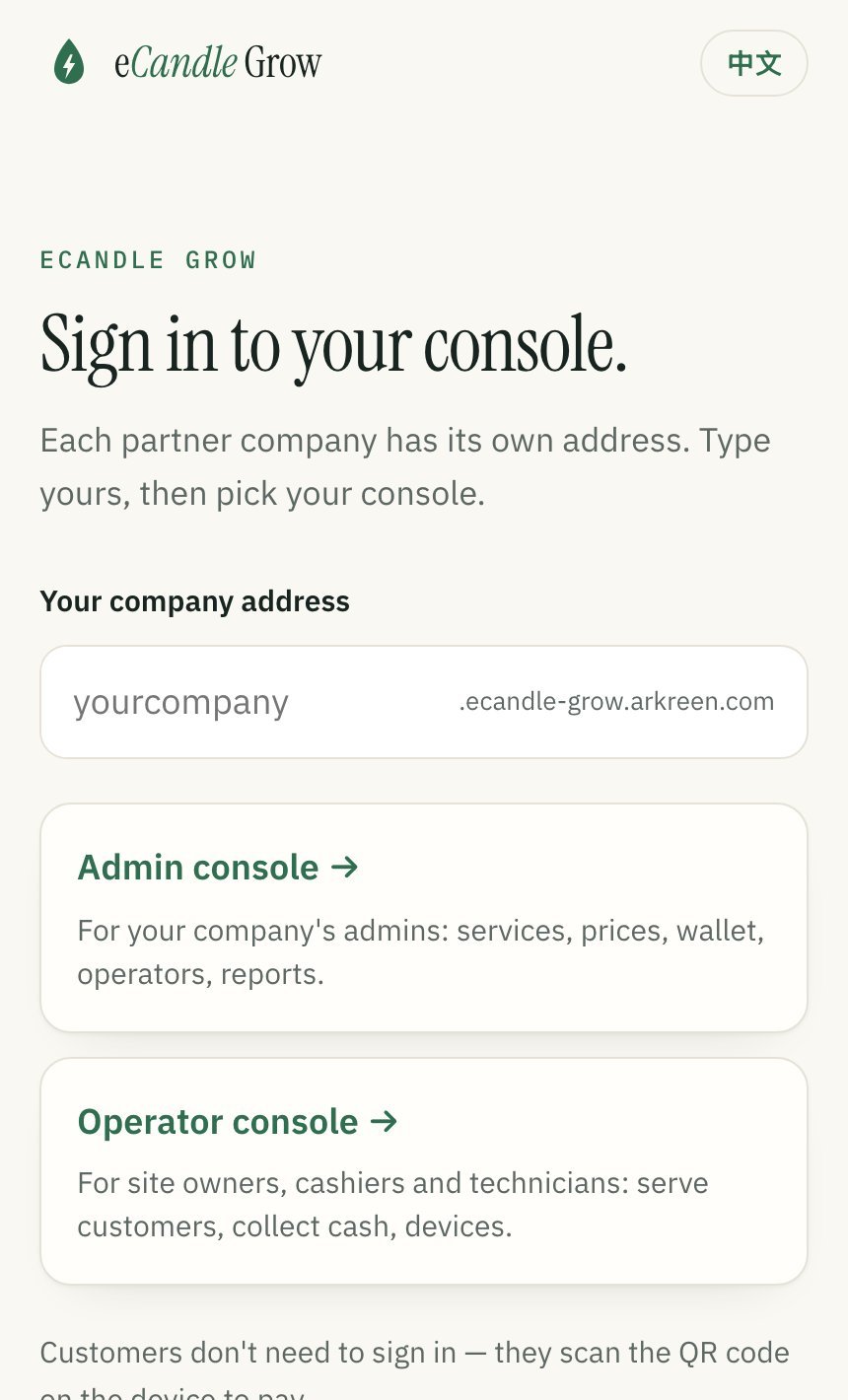
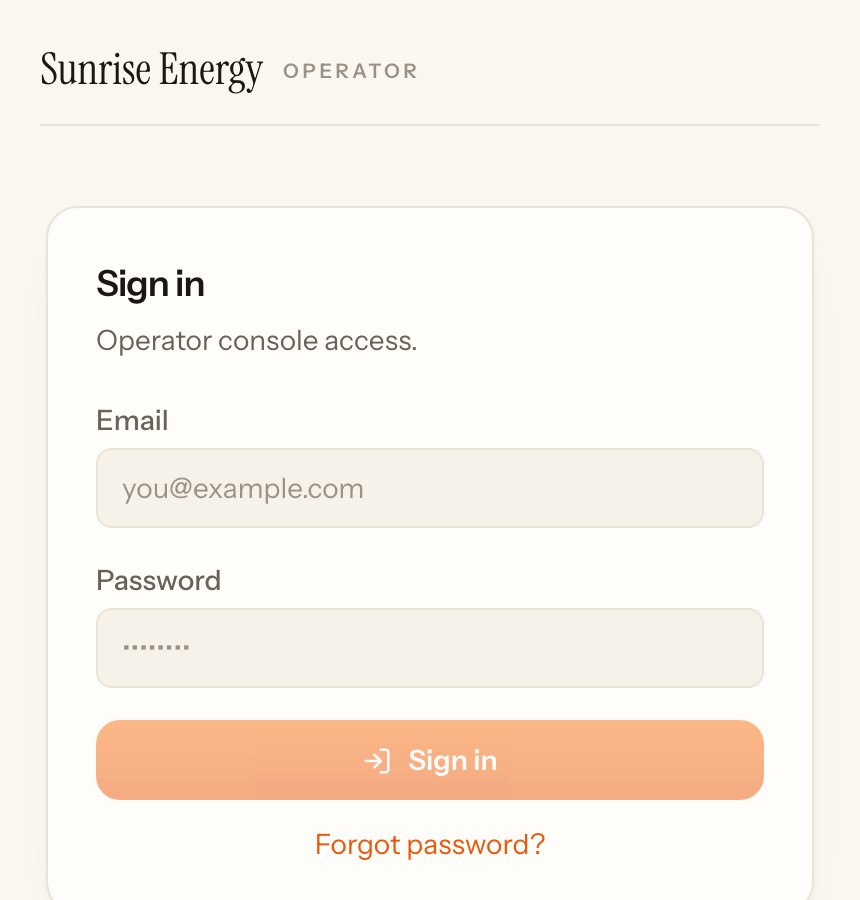
Team members get an email with a link to set their own password. The site owner adds them on the Team page.
Who sees what#
Each site has an owner. The owner adds technicians and cash collectors, who get their own login and see only the pages for their job. Nobody but the owner sees the site's earnings.
| Page | Owner | Technician | Cash collector |
|---|---|---|---|
| Home# | Yes | No | No |
| Serve# | Yes | No | Yes |
| Cash collect# | Yes | No | Yes, only the cash they took |
| Tickets# | Yes | Yes | No |
| Devices# | Yes | Yes | Yes |
| Money# | Yes | No | No |
| Payment plans# | Signs, ends and upgrades plans | Looks only | Collects a payment |
| Tasks# | Gives tasks | Sees own tasks | Sees own tasks |
| Team# | Yes | No | No |
Some actions are for the owner only, always with a reason: cancelling an order, refunding a late booking fee, keeping part of a deposit and marking a device lost.
Find your way around#
The buttons at the bottom of every page are Home, Tickets, Cash, Serve, Devices and Money. The links at the top are Guide, Tasks, Plans and Team. People with a smaller role see fewer buttons.
Pages in this guide#
| Page | What you do there |
|---|---|
| Home# | See your money and what needs doing today |
| Serve: cash services# | Take cash for a service, a charge or a print job, and mark it done |
| Packs, members and sponsors# | Sell packs, serve members of a group, apply a sponsor |
| Rentals, bookings and swaps# | Rent out devices, take bookings, swap for a full one, take devices back |
| Care plans and backup cover# | Sell monthly care and backup cover, answer call-outs |
| Payment plans# | Sign customers up, collect payments, buy-outs and upgrades |
| Cash collect# | Confirm cash a customer hands you for power |
| Money# | Your share, cash you hold, every payment |
| Devices# | Check each device, live readings, report a problem |
| Tickets# | Fix customers' problems and mark them done |
| Team# | Give your staff their own login |
| Tasks# | Give jobs with a due date and follow them up |